


Our latest product features - August, 2026
Get a glimpse of how we are innovating in our product development and shaping the future of data-driven trading.
See Full List
513
Product Improvements
60
Bugs Squashed
Feature Highlights
Use Front-End Quick Button Templates To Create New Orders
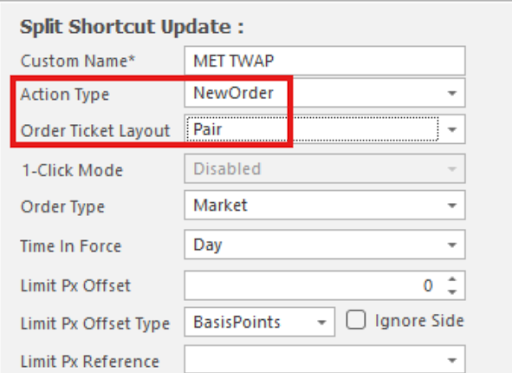
Traders can now configure a Quick Button in the Order Book to launch a new order ticket pre-filled with a predefined set of parameters. Instead of opening a blank ticket and re-entering the same instrument, side, quantity, or account details for a recurring order type, one click reproduces the exact template set up in advance. Each button can also be tied to a specific order ticket layout, so the ticket opens already arranged the way the trader wants it, with no manual layout switching required. This is especially useful for desks that repeatedly enter similar orders throughout the day, cutting keystrokes and reducing data-entry errors in fast-moving markets. The feature is fully configurable per user and per button.
Stale Price Elimination Option On All Execution Strategies
Algo execution strategies can now tolerate a brief period of stale primary-market data before eliminating a parent order, rather than reacting to the very first stale notification. Traders configure a confirmation window expressed in typical update intervals, and the system automatically stretches or shrinks the actual wait time to match how frequently the instrument's primary venue normally updates, reacting almost instantly on a liquid name and waiting longer on a quiet one. If a valid update arrives before the window expires the timer resets; if not, the order is eliminated as before. This reduces unnecessary eliminations on illiquid instruments while still protecting execution quality against genuine feed problems on liquid markets, with the full elimination logic captured in the order's audit trail.
System Admin Front End Tabbed Page View
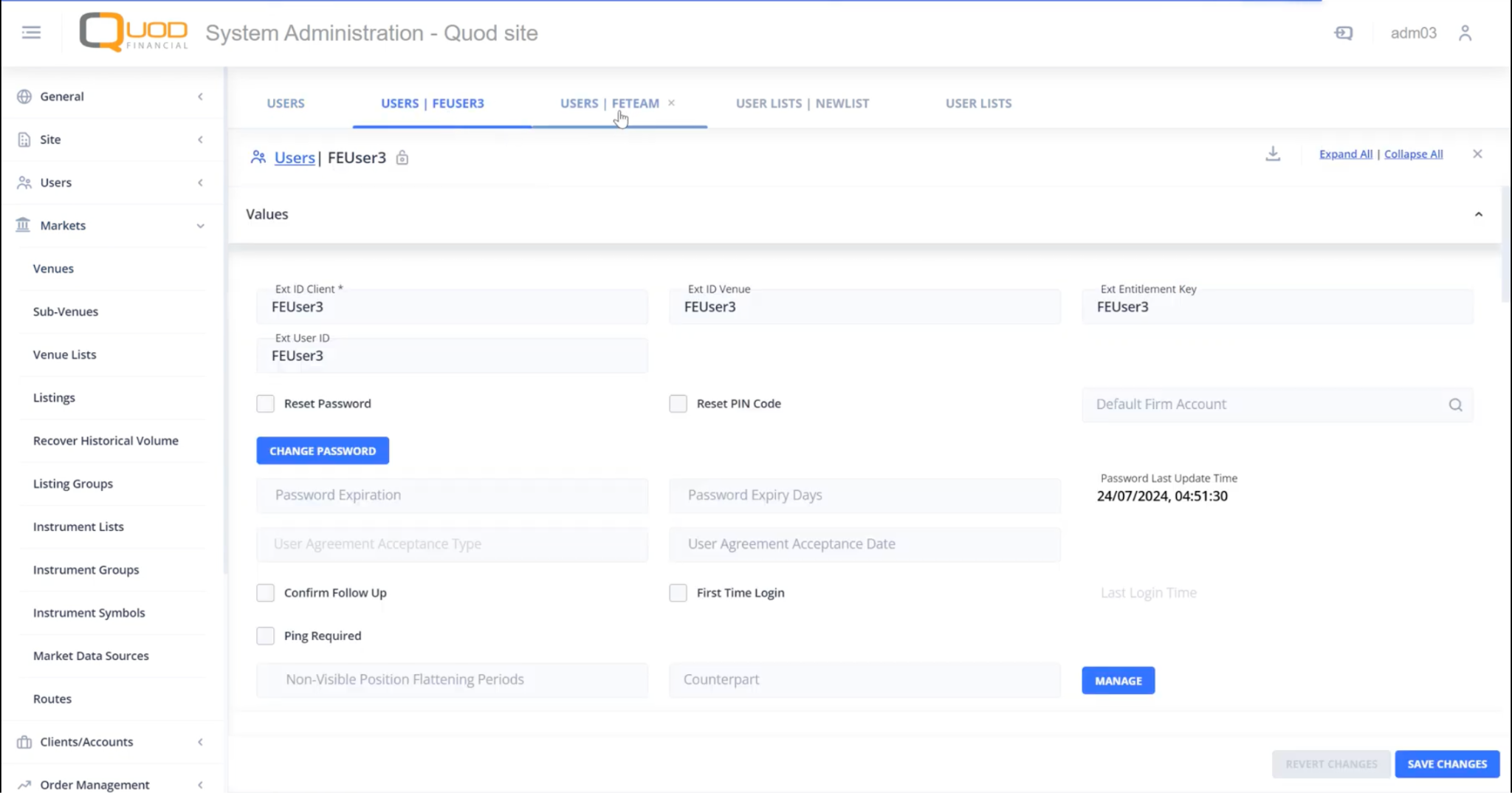
The web System Admin front end now lets users open pages as tabs within the application itself, instead of relying on multiple separate browser tabs. Clicking through to a grid list or an individual entity page opens a new tab in the same browser window, so several pages can stay open side by side for quick reference while editing. This makes it easier to cross-check data between screens, such as comparing a client's settings while updating a related account, without losing your place or juggling browser windows. The change extends the tabbed layout already delivered for other admin areas to the remaining entity types, giving administrators a more consistent and efficient way to navigate the application.
New Client And Account Details Panel In Trading Front End
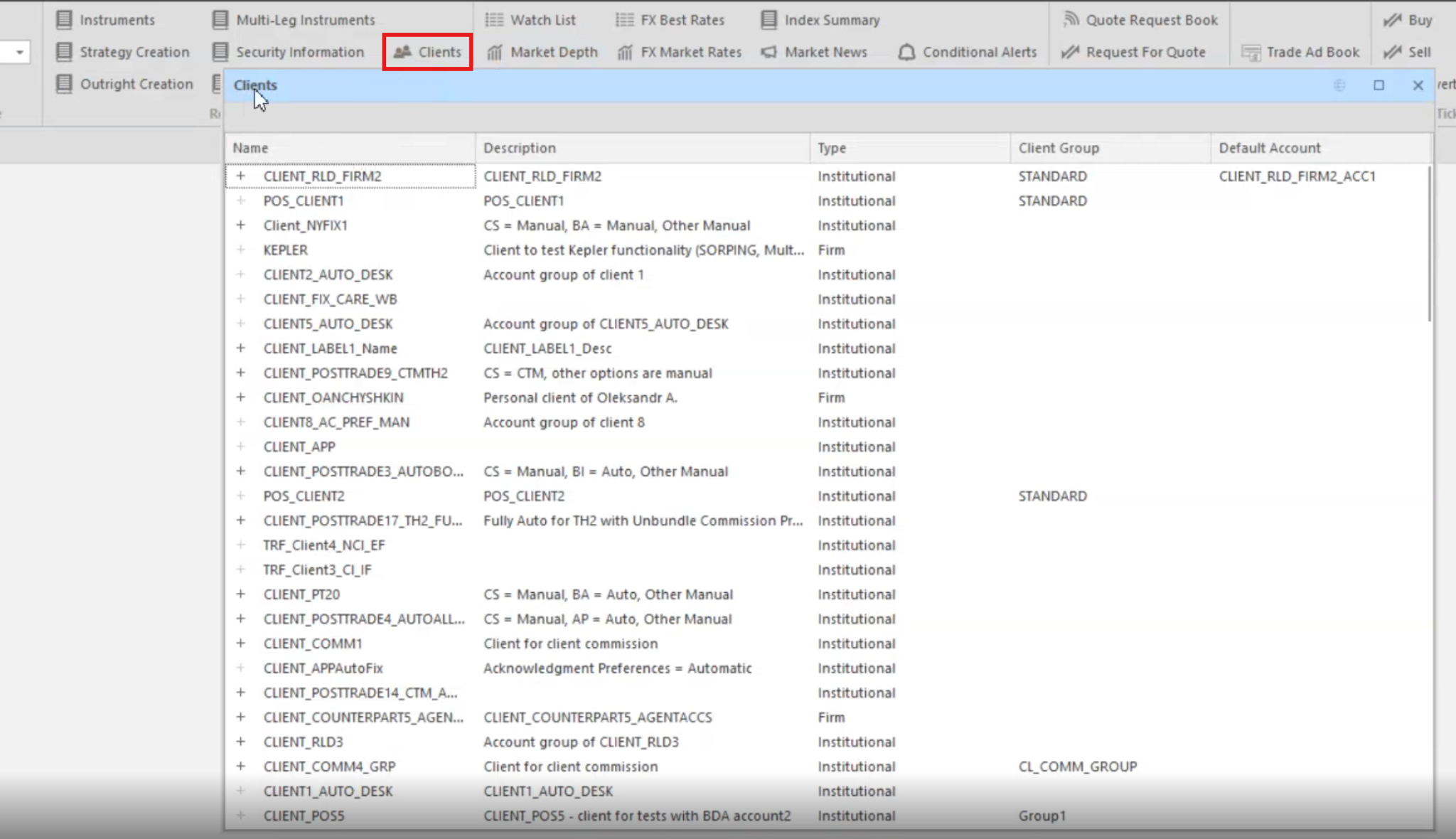
Traders can now open a dedicated Clients panel in the .NET Trading Front End, showing every recovered client alongside its accounts and cash accounts in one place. Like any other panel, it supports sorting, filtering, column configuration, saved layouts, docking and cloning, so it fits naturally into an existing workspace. Two-way piloting means selecting a client can filter related panels such as Orders, Baskets, Bags, Trades and Positions, and selections in those panels can filter the Clients view in turn. This gives sales traders and desk staff a faster way to navigate client and account structures without switching to a separate admin screen.
New Flat View Of All Orders In Trading Front End
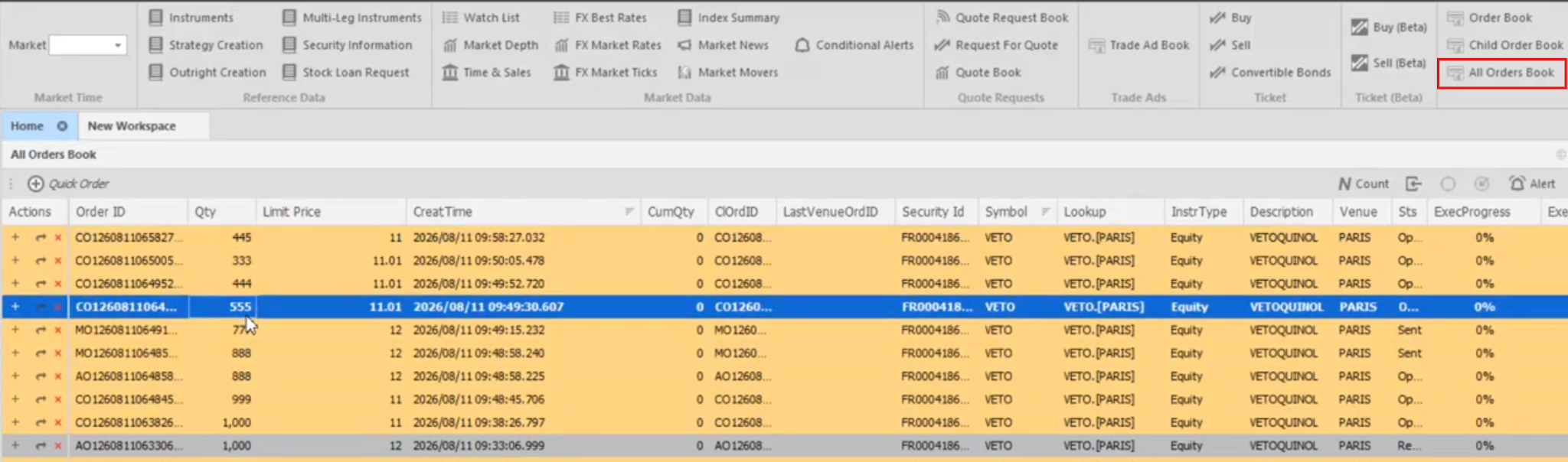
A new All Orders Book panel is now available from the Order Management ribbon in the .NET Trading Front End, bringing every order type together in a single flat grid. Parent and child care orders, parentless DMA, parent and child algo orders, and grandparent-to-child care chains all appear side by side, so traders no longer need to switch between separate books to track different execution workflows. The panel also unlocks the ability to cross orders across the full care hierarchy, for example matching a parent care order directly against a child care order. This gives traders and operations staff a single, consolidated view for monitoring and managing all order activity on a desk.
Get a glimpse on how we are innovating in our product development
As a consolidated entry point to the answers you need, HUB gives you access to information on our product features, new feature updates, system architecture, user guides, and more - all in one place.
Join Quod Hub