


A trader typed a few sentences.
Live TV became a trading signal.
At our event, a visitor sat down at Qanvas and started asking. No spec, no ticket, no sprint. Within hours, financial TV was streaming inside the trading desk, an AI was listening to every word, and the instruments being discussed on air were driving their charts, depth and order ticket. With sentiment on every headline.
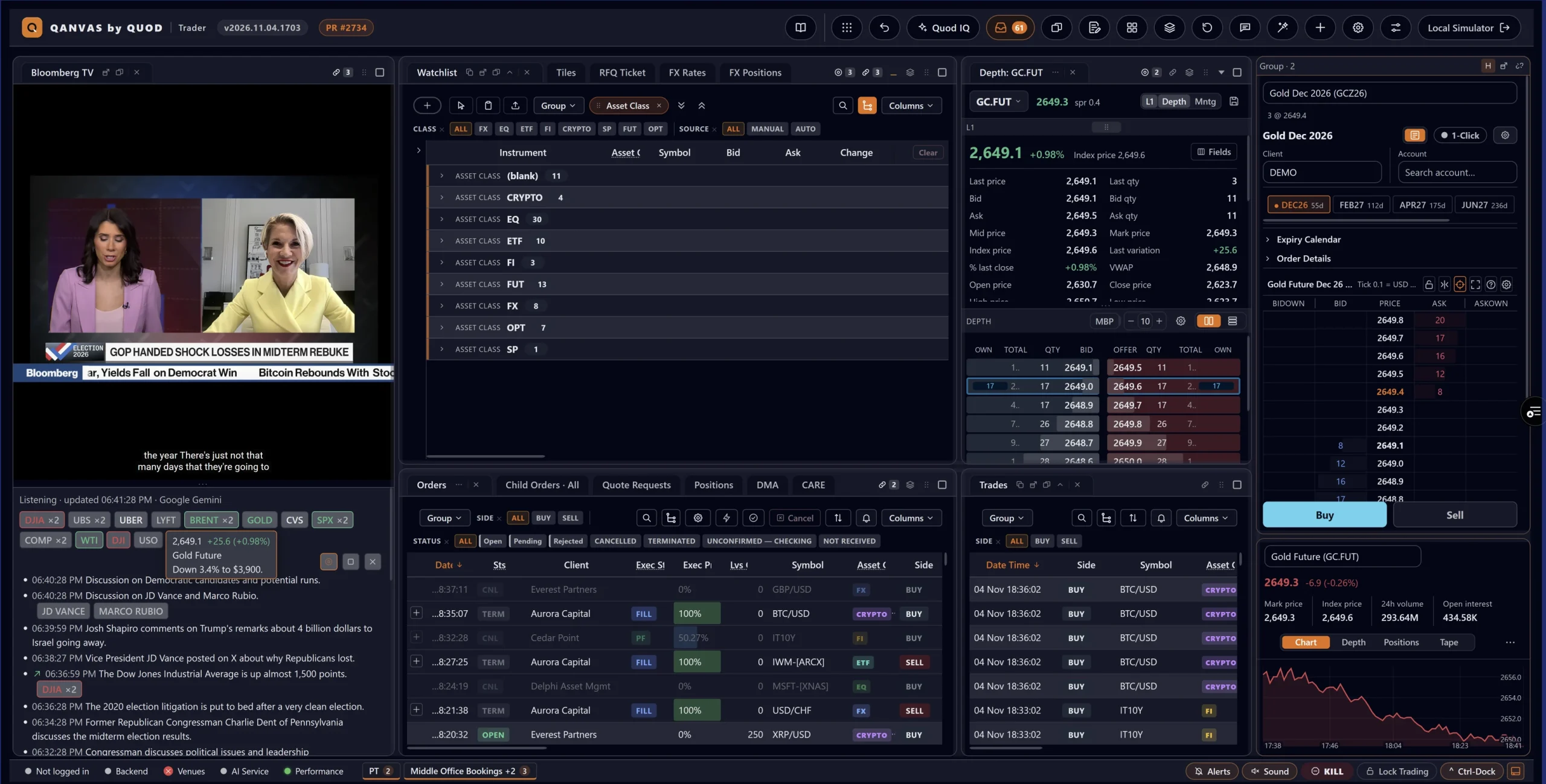
Seven prompts. One jaw-dropping workspace.
Here is the actual journey: what the user asked, and what the Qanvas engine delivered back each time. Every step landed in the live platform, ready to click.
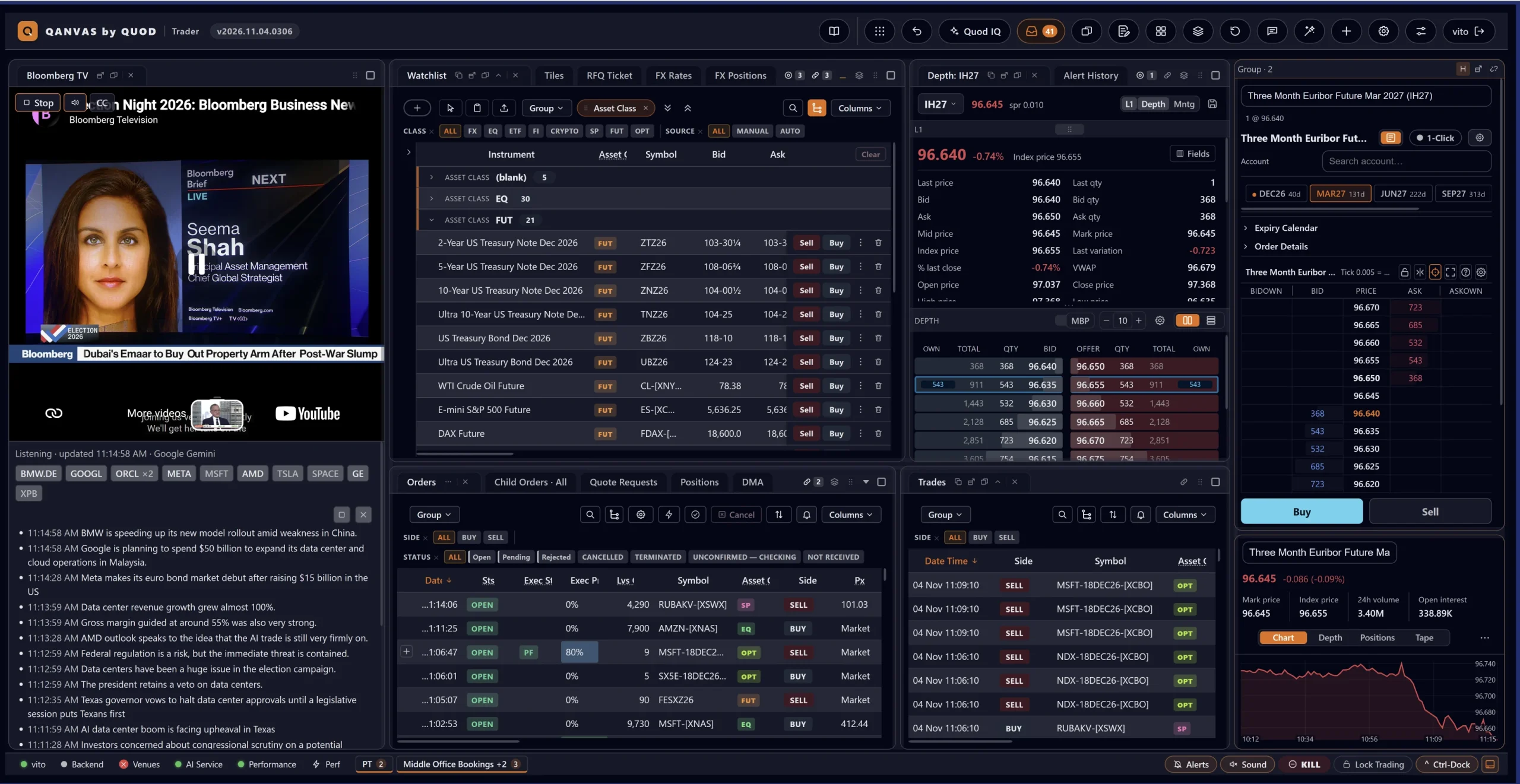
Bring the newsroom onto the desk
“I want Bloomberg TV live, right here in my workspace, next to my blotters.”
Done. The live stream now opens as a dockable panel in your Media library.
- Autoplays muted, so it starts instantly
- Panel chrome hidden: the picture fills the window edge to edge
- Dock it, float it, tab it. Like any other Qanvas panel
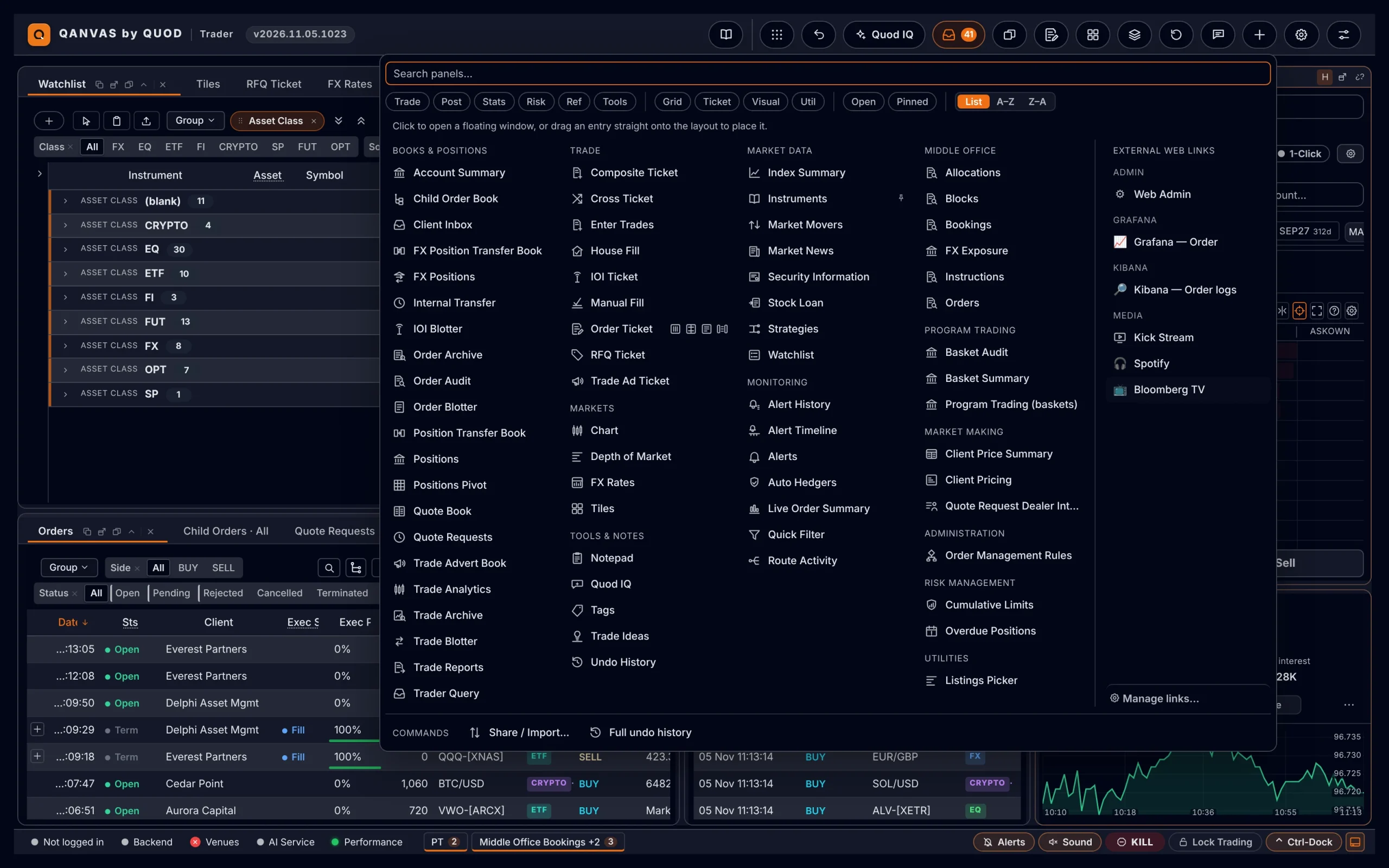
Make it feel native
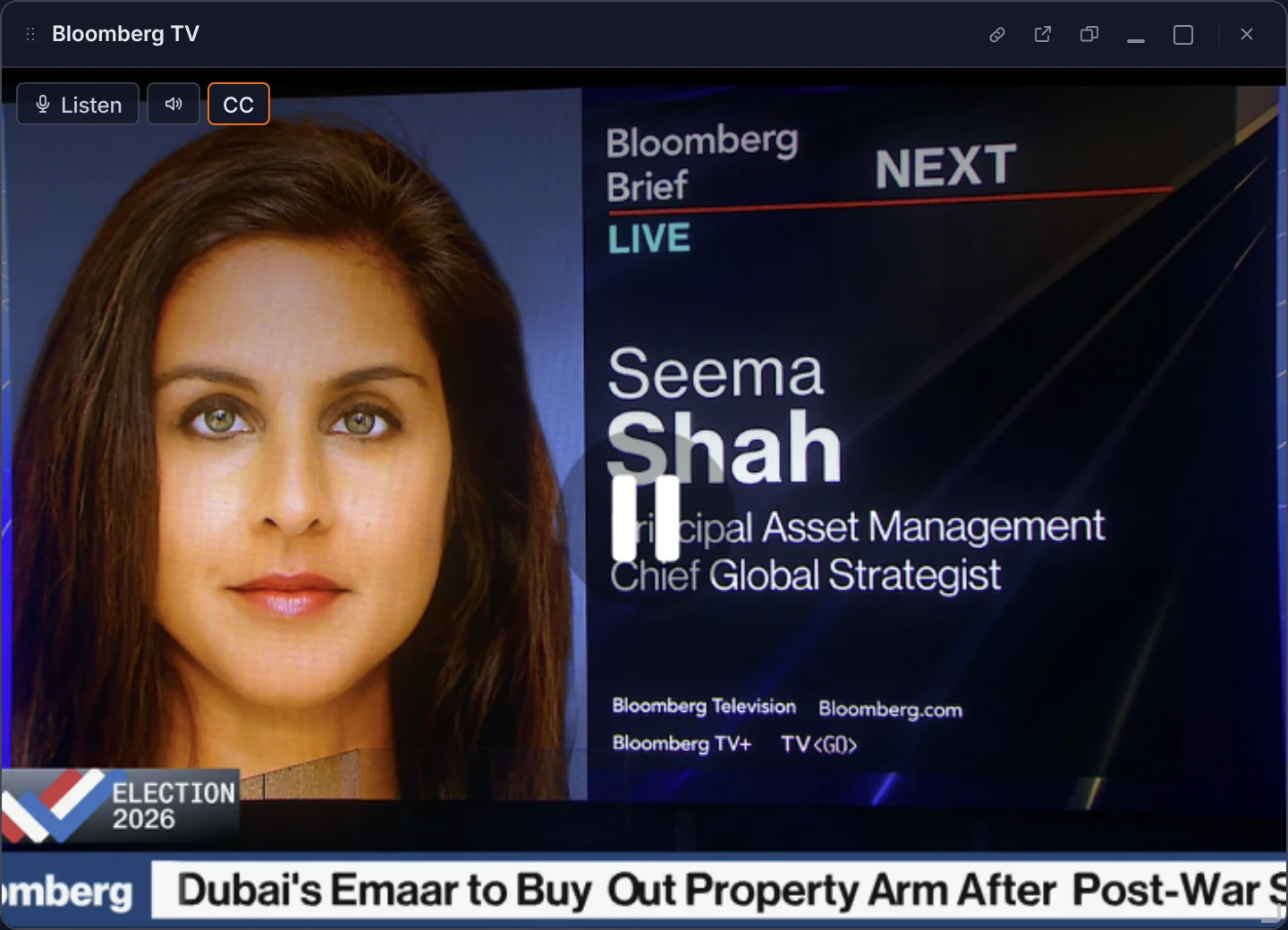
“Lose the video player clutter. Just give me sound and captions, my way.”
Player controls removed; the panel now carries its own discreet hover toolbar.
- One-click 🔊 sound and CC captions toggles
- No “more videos” pop-ups ever stealing the screen
- Fully themed with the rest of the workspace, in every language we ship
Let the AI listen
“Can it listen to what they're saying and tell me which tickers they're talking about?”
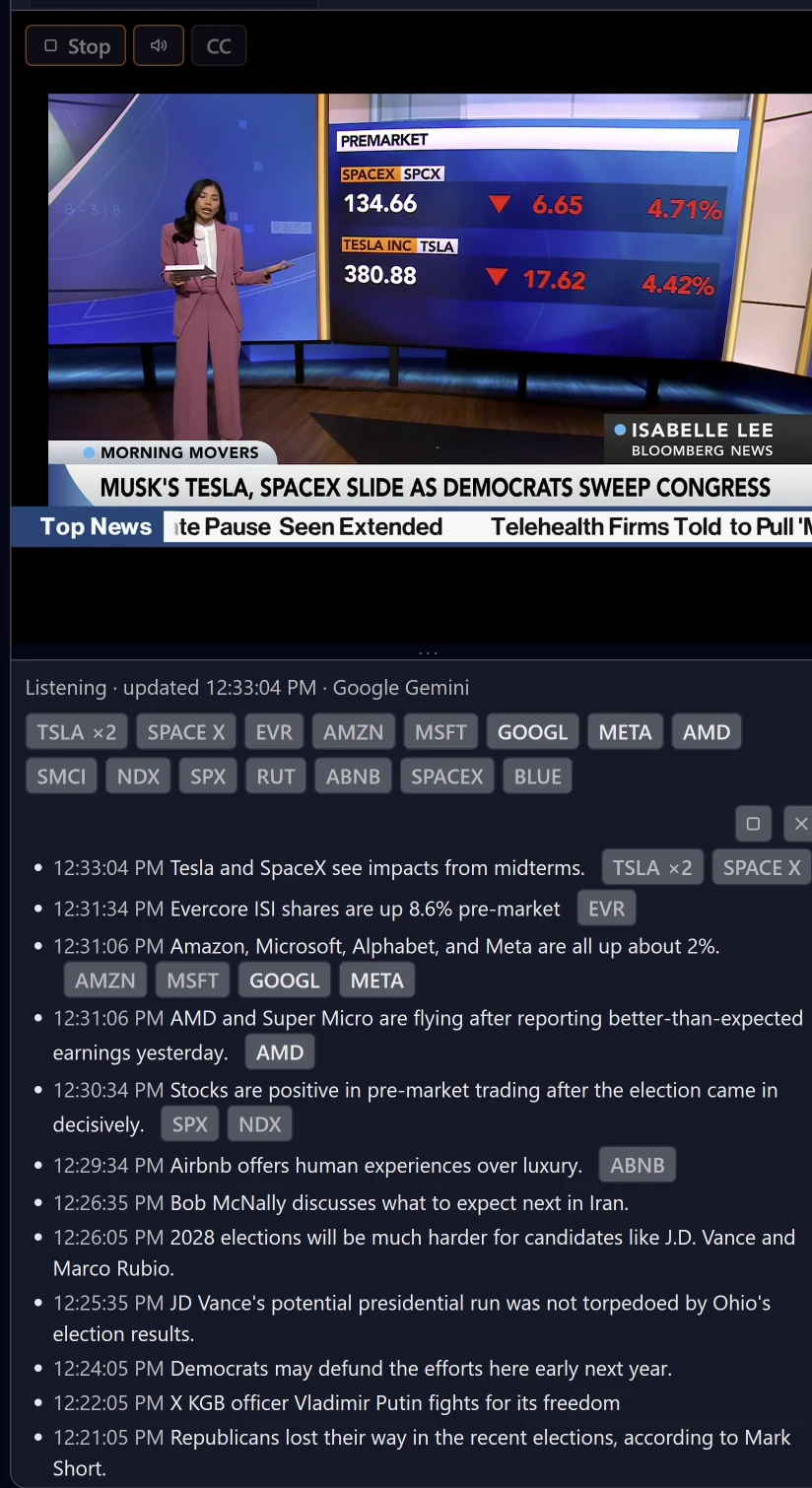
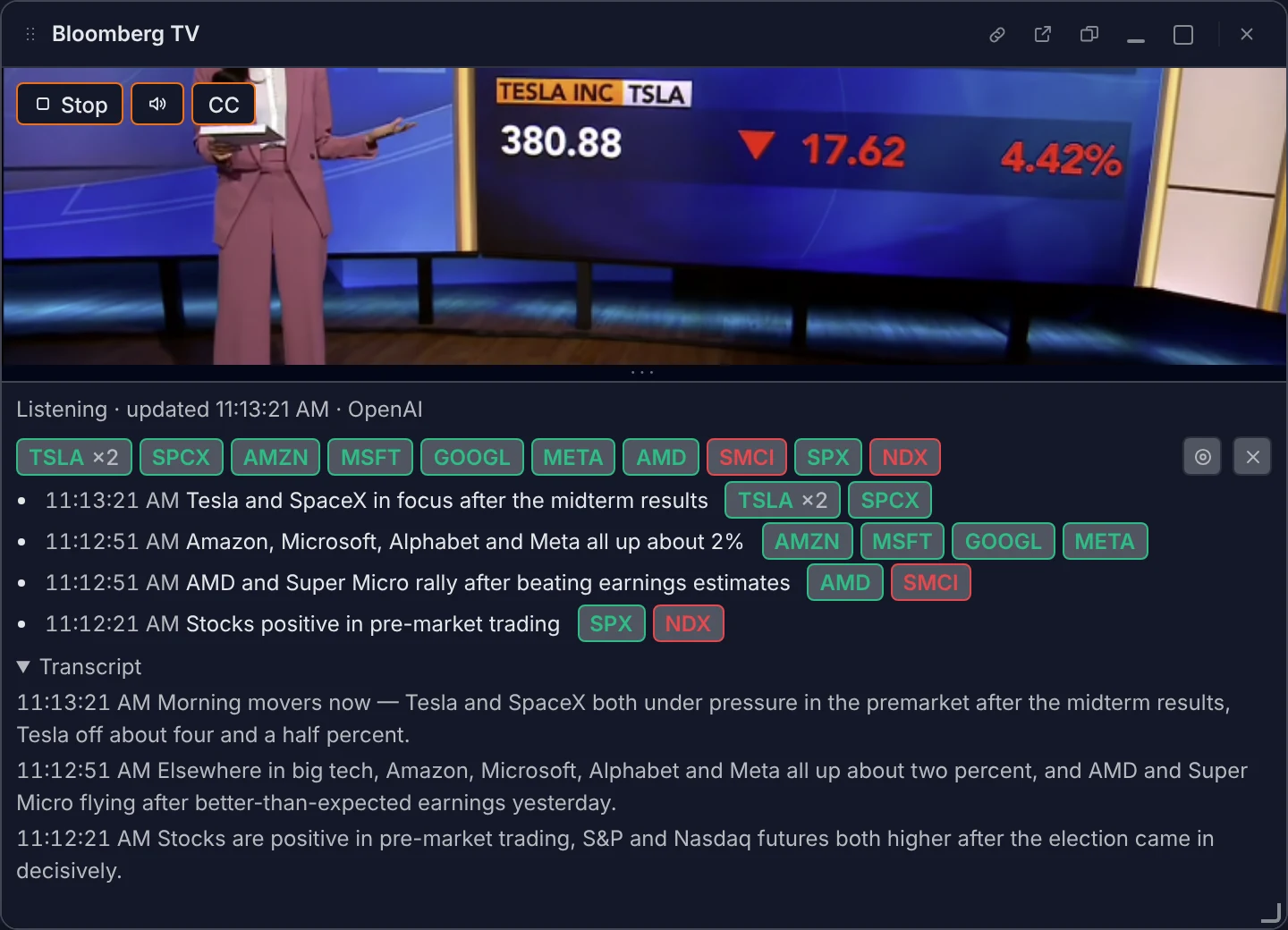
Meet Listen. Quod IQ now transcribes the broadcast in real time and distils it into a rolling market feed.
- Live AI transcript, refreshed every 30 seconds
- Tickers ranked by what's being discussed right now, with mention counts
- Timestamped headlines, newest first
- Every ticker resolved against your real instrument universe: TSLA means the stock, not a lookalike
From headline to trade, in one click
“When I click a ticker, drive my chart, my depth and my order ticket.”
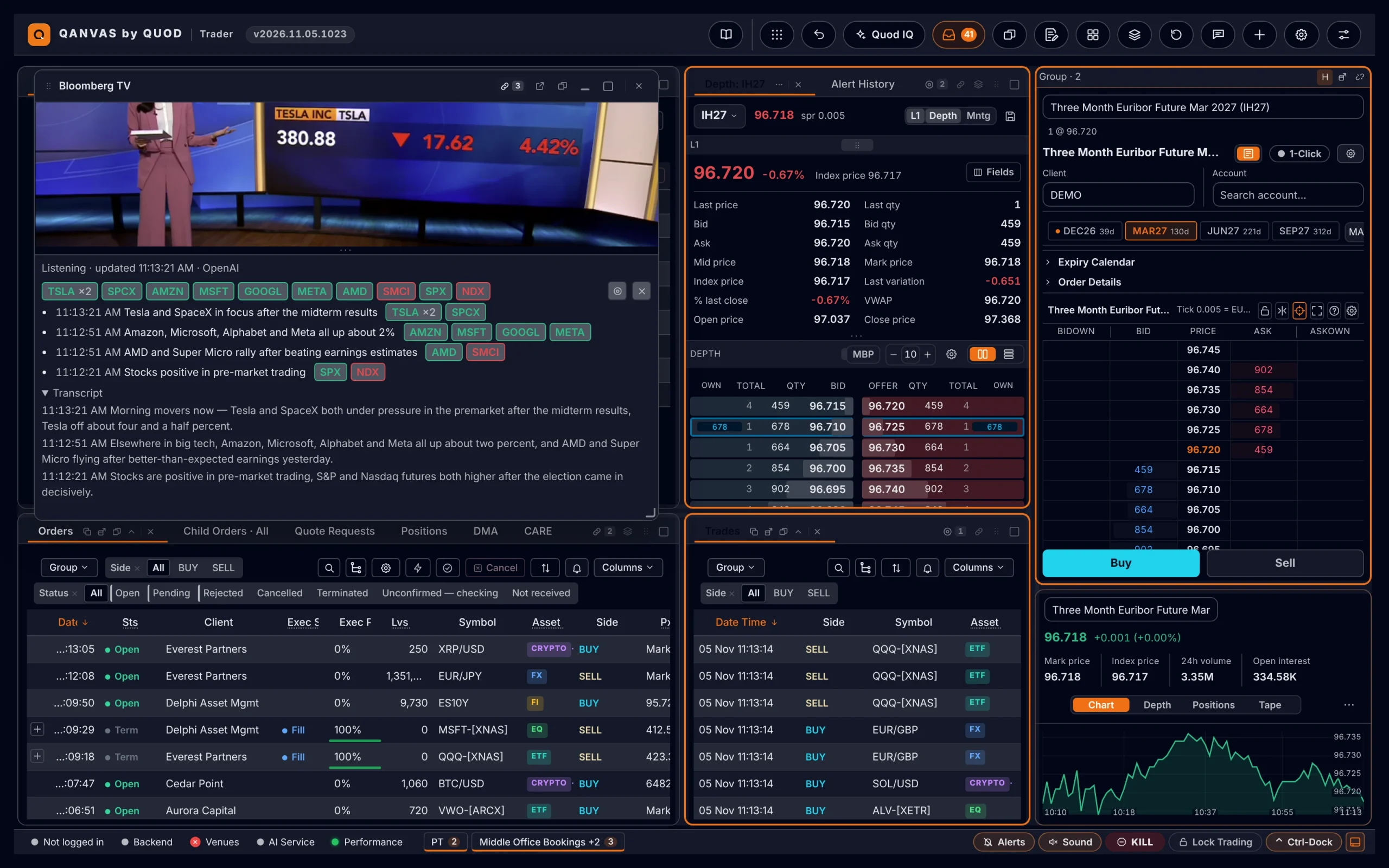
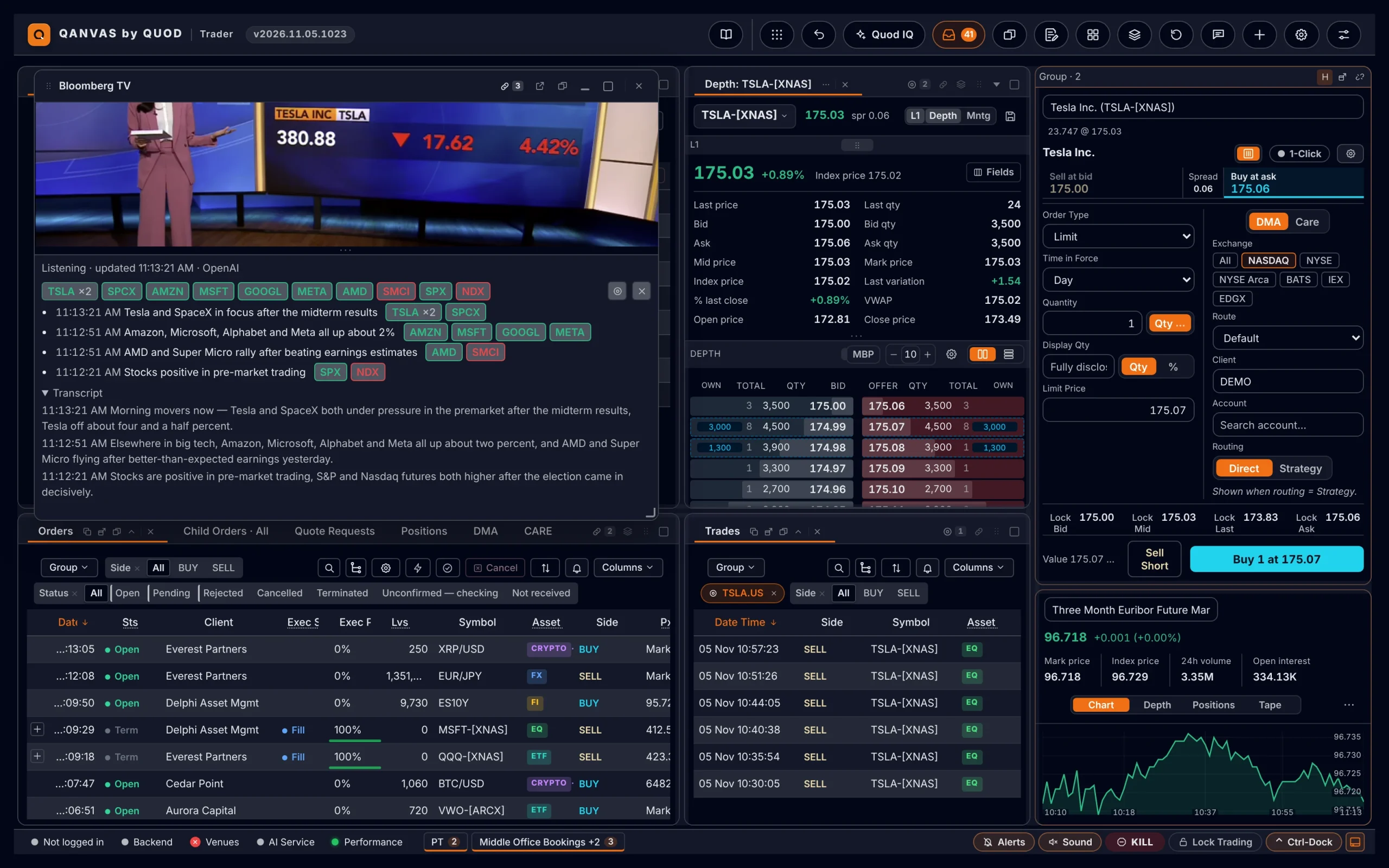
The TV panel is now a pilot. Link it to any window and every ticker it hears becomes a remote control.
- Click a ticker → linked chart, market depth and order ticket all switch together
- Hover the 🔗 icon to see exactly which windows it drives
- Nothing linked? It simply pops a chart
Context at a glance
“Tag each headline with its tickers, and show me how they're trading.”
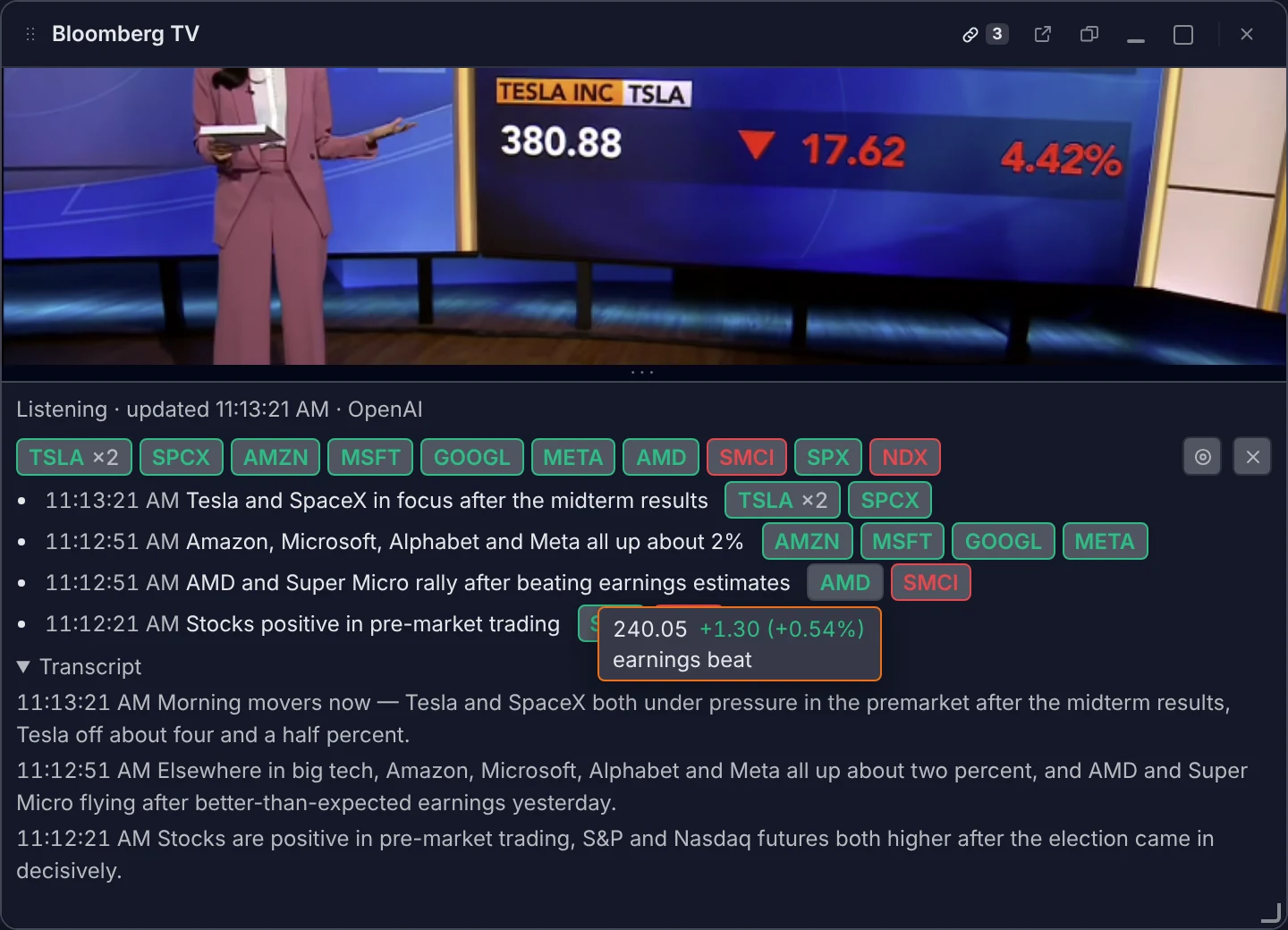
Every headline now carries badges for the instruments it's about.
- Chips coloured green or red by their move on the day
- Hover for the live price and day change
- Talk of the Dow, Nasdaq, Brent, gold or the VIX? Mapped straight to the tradable future
Auto-pilot: the screen follows the story
“Now do it automatically. Whatever they're discussing, put it in front of me.”
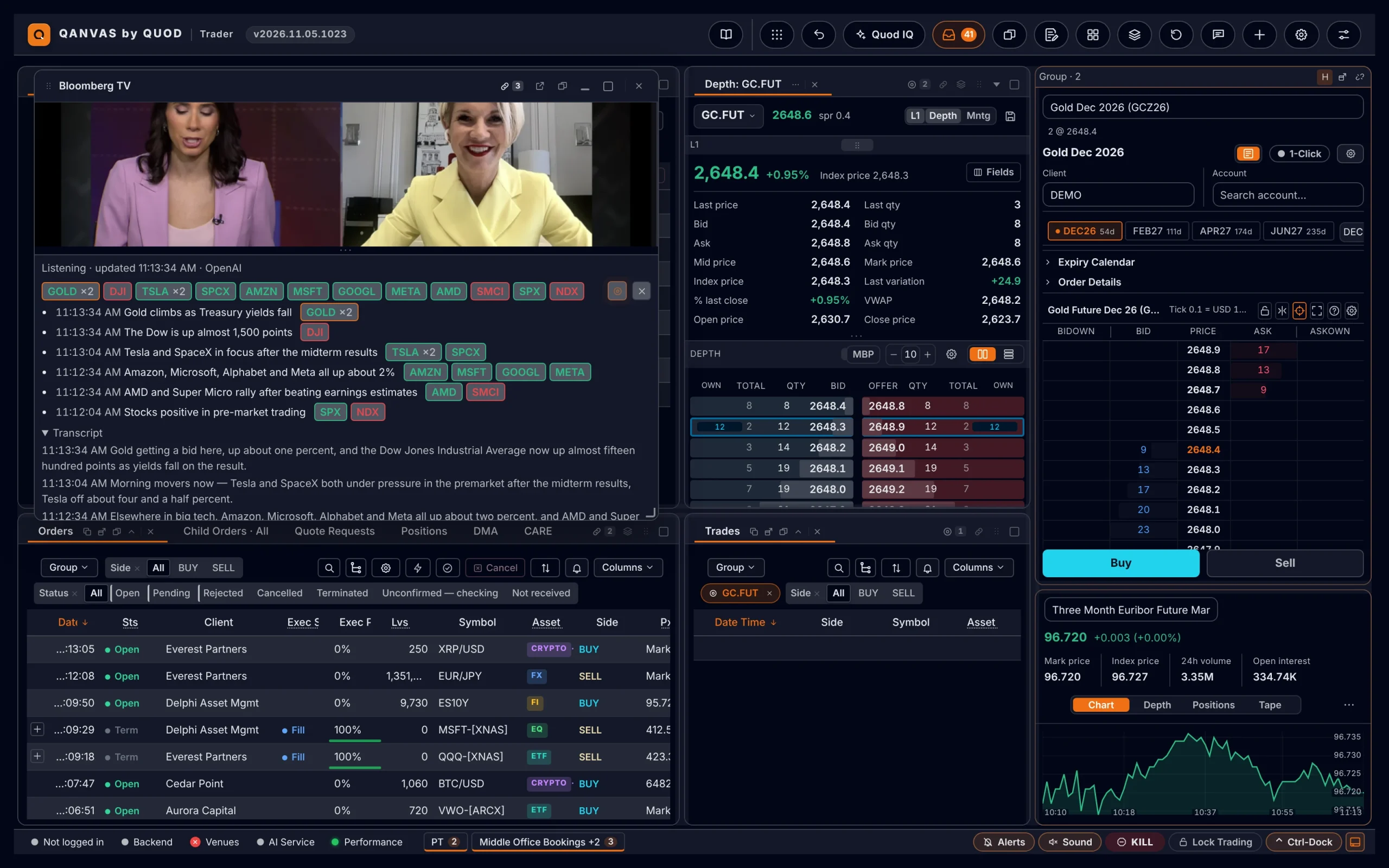
◎ Auto-pilot is armed. Your workspace now follows the conversation on air.
- The moment a new instrument is discussed, chart, depth and order ticket jump to it
- A subtle pulse shows exactly what just moved; you never lose your bearings
- Only the windows you've linked follow; you stay in control
Read the mood, not just the words
“Is the news good or bad for the stock? Show me.”
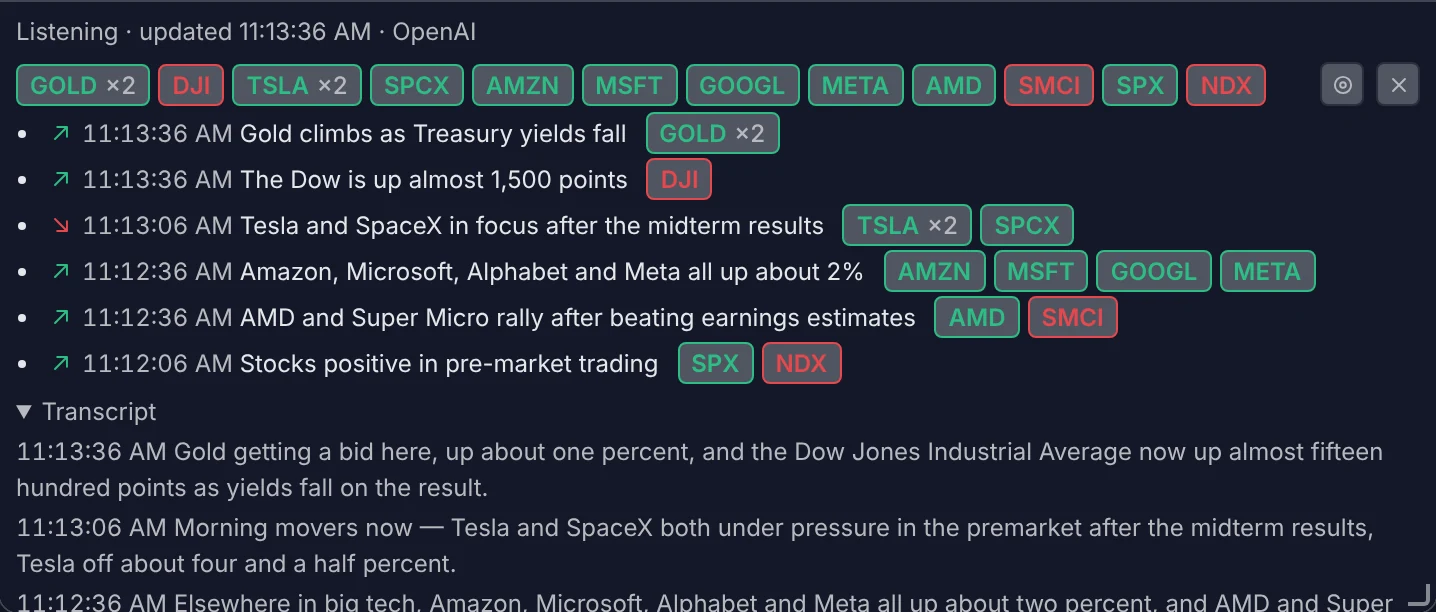
AI sentiment analysis is live on every headline.
- ▲ positive and ▼ negative calls per instrument, at a glance
- Only flagged when the broadcast is clear about it: no noise
- Hover for the read: “Positive for NVDA”
The platform that builds itself around the trader.
This wasn't a roadmap item. It was an idea at a stand, and the Qanvas engine turned it into a production-grade capability while the coffee was still warm.
Ask, don't spec
Users describe the outcome in plain language. The engine handles design, data wiring, AI and UI. Consistent with the rest of the platform.
AI where the alpha is
Transcription, entity recognition, ticker resolution and sentiment: Quod IQ turns unstructured media into structured, tradable signals.
Wired into the workflow
Not a gadget on the side: it pilots real charts, depth and order tickets through the same linking every Qanvas panel uses.
Enterprise guardrails
Runs under the desk's AI controls and sensitivity policies. Only the panels a trader links ever follow along.
Ready for every desk
Themed, localised in six languages and accessible from day one. Because that's how the engine builds everything.
Idea to production in a day
Seven conversations. One new way to trade the news. Imagine what your desk would ask for.
What would your traders build?
Bring your wildest workflow idea. We'll sit you down at Qanvas and you can watch it come to life.
Book a live demo