


Our latest product features - Q1, 2026
491
Product Improvements
102
Bugs Squashed
Feature Highlights
Smart Order Router Uses Hybrid FX ESP/RFQ Execution
The Smart Order Router (SOR) now supports dynamic RFQ initiation and hybrid liquidity selection, enabling traders to access the best all-in price across both Request for Quote (RFQ) and Executable Streaming Price (ESP) venues within a single decision cycle. The SOR automatically triggers RFQ requests to configured venues, waits for responses, and evaluates them alongside live ESP streams using the full suite of SOR ranking logic — including price, cost, latency, and randomization — before routing to the optimal venue.
To protect against information leakage, the SOR subscribes to two-way RFQs wherever possible and maintains venue subscriptions open for a randomized duration after execution. This enhancement supports all FX asset classes including Spot, Forward/NDF, and Swap/NDS, and produces a full unified audit trail capturing both ESP snapshots and RFQ responses for every trade.
Execution Strategy Real-Time Published Statistics
To provide more transparency into execution strategy performance, key order-specific statistics are now published in real-time to the front end. Traders can monitor vital metrics such as participation rates, slippage against benchmarks, and venue-specific fill rates as they happen, enabling immediate adjustments both within the order ticket before execution and on active strategies.
This is a powerful tool for institutional desks that require live validation of execution quality to meet best-execution mandates.

Automatically Identify Existing Bags For Grouping Orders In Trading FE
Automatically group orders by identifying if a new incoming order belongs to an existing "Bag" based on pre-defined matching criteria such as client, symbol, and side. This automation streamlines the management of multiple existing groups into a single logical group without requiring manual oversight.
This improvement is essential for high-volume desks where maintaining order hierarchy and clear audit trails is critical for both operational efficiency and regulatory compliance.
Cancel Own Orders From Market Depth Using Quick Buttons
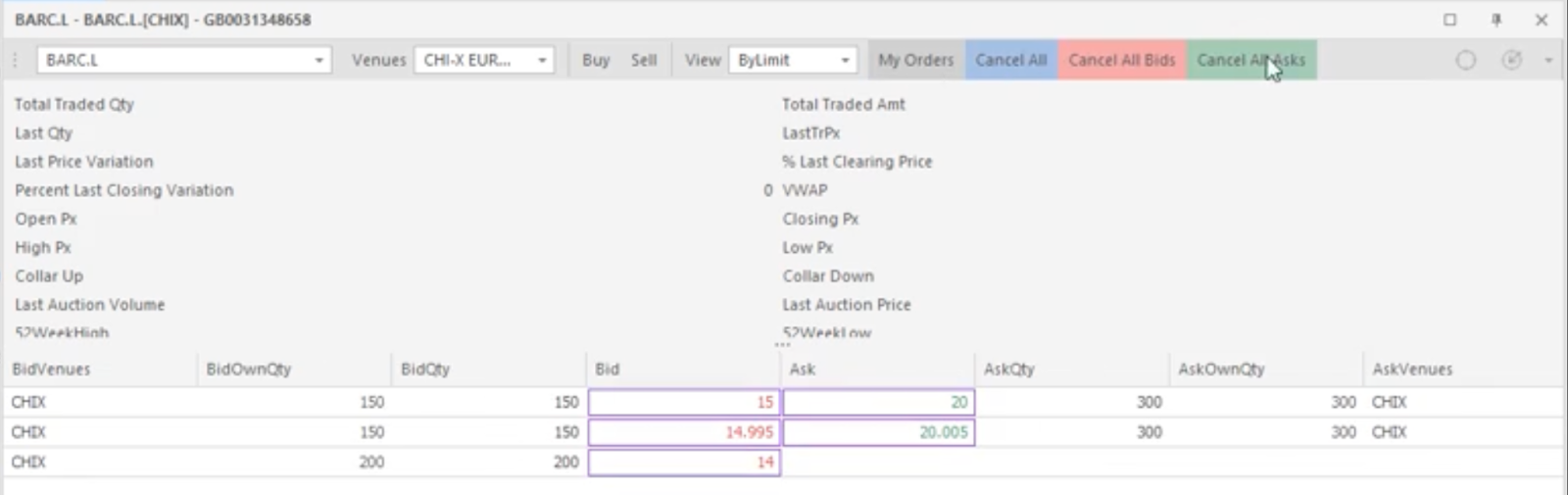
Our latest market depth panel introduces specialized quick-action buttons directly within the Market Depth panel. Traders can now view their active working orders alongside real-time market liquidity and cancel them at specific price levels without ever leaving the depth view or switching to a separate order blotter.
This functionality is particularly vital for high-velocity trading environments where every millisecond counts, as it eliminates the need to manually search through lists of active orders.
Manually Override Market Data Values
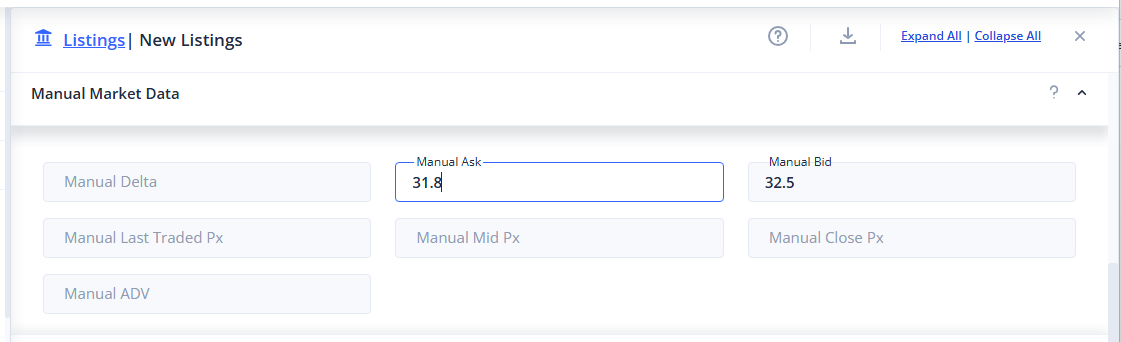
Specific L1 market data values can now be configured for a given trading instrument directly through administrative settings to override either missing or inaccurate values published by a market data provider.
This can be done either through the trading front end directly to set static values, the system admin front end, or can be updated with a script through the REST API.
Pair Trading Instrument Updates
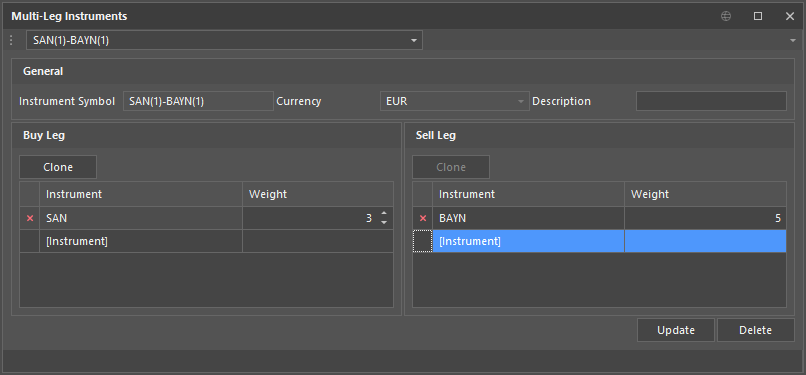
Configuration directly in the Trading FE for synthetic instruments used for Pairs trading has been enhanced to now allow both updating and deleting of existing instruments. Users can update the leg details of any existing instrument directly from the Trading FE without affecting the details reported on past orders sent with the same instrument.
In addition, users can also now specify weights on each leg per order to replace the default values taken from the underlying instrument configuration.
Dynamic Layout Change When Piloting Order Ticket By Different Asset Classes In Trading FE
The Order Ticket now intelligently retains the correct layout as traders pilot across instruments of different asset classes — Equities/FX, Futures, and Options — within a single docked or floating ticket instance. When a trader selects an instrument from any panel, such as a watchlist or order blotter, the ticket automatically switches to the appropriate asset class mode and loads the last layout the trader used for that mode.
Any layout customisations saved against a given ticket type are remembered and restored when that asset class is revisited, even across workspace sessions. This eliminates the disruptive experience of layouts resetting unexpectedly mid-workflow, allowing traders to move fluidly between asset classes without having to reconfigure their workspace each time.
Mock Data Grid
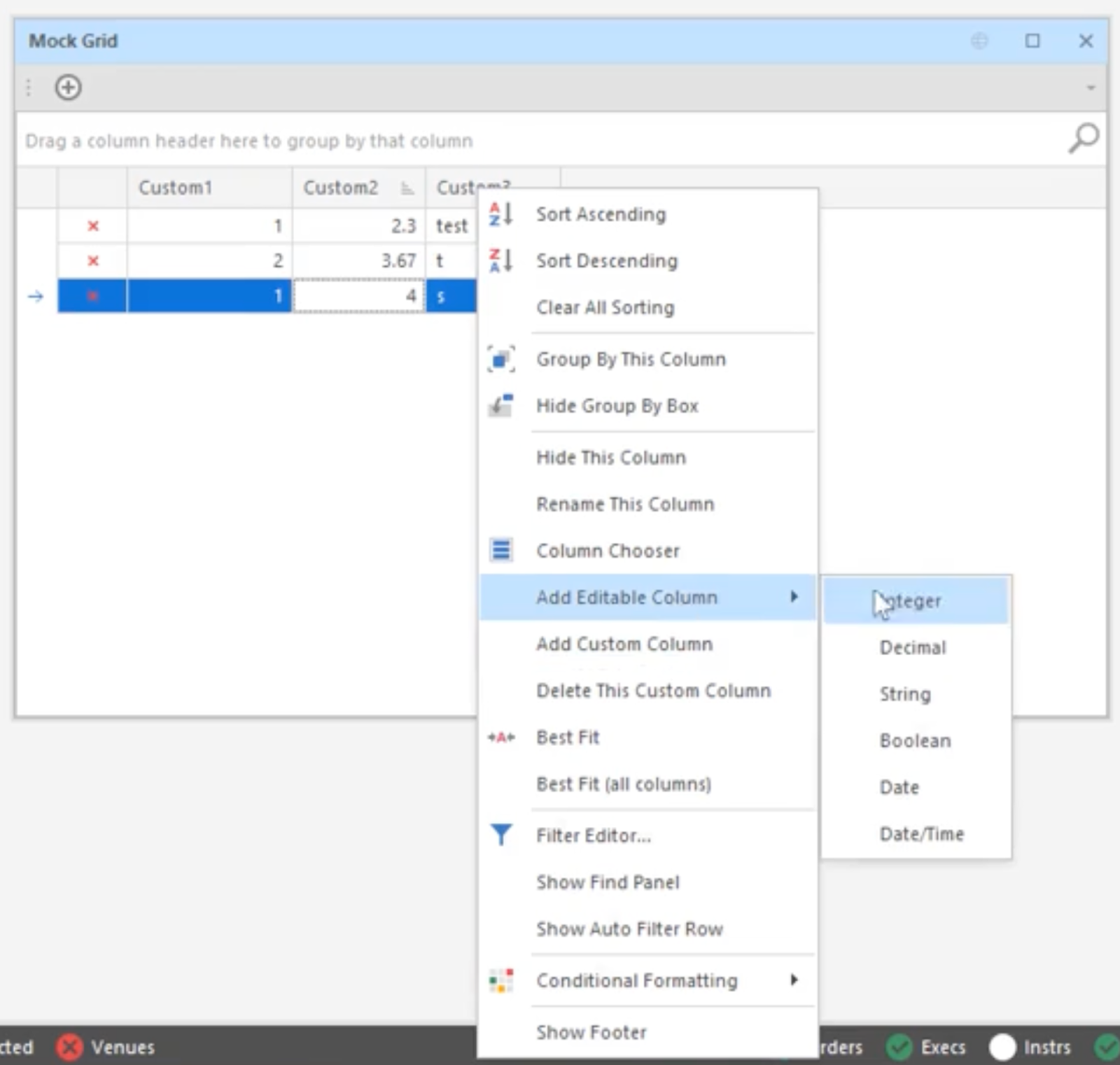
This new feature of the Trading Front End allows a user to create either an empty panel with user-generated columns and data, or a static copy of the columns and data from an existing panel.
This combined with the ability to select a system instrument in each row allows the user to mock up a panel in their workspace for any number of use cases, which might include: using shared and custom columns to produce new functional panels with editable fields to be used in production; prototyping new potential features with randomized data; unit testing custom column expressions with user-defined data.
Other Highlights from 2025
| Features | |
|---|---|
| Additional Allocation Mass Actions | Learn more |
| Commission Price Bands | Learn more |
| Aggressive Quotes Regulatory Confirmation Prompt | Learn more |
| Pair Trading Additional Spread Pricing Methods And Improved Instrument Entry | Learn more |
| New Super Algo Switches Strategies After Percentage Filled | Learn more |
| Specify Quod Strategies In FIX Care Orders | Learn more |
| Order Ticket Price Short Cut Buttons | Learn more |
| New FX Sales Manual Pricing Ticket | Learn more |
| Display Snapshot Market Data Details In Depth Panel And Order Blotters | Learn more |
| Set Order Ticket Values From Depth Ladder | Learn more |
| Position Corrections From Trading Front End | Learn more |
| Quick Amend Buttons In Trading Front End | Learn more |
| New Super Algo Switches Strategies On Price Moves | Learn more |
| Care And DMA Specific Front End Order Ticket Layouts | Learn more |
| Futures Order Ticket Actionable Depth Ladder | Learn more |
| Mass Amend Allocation Fees And Commissions From Trading FE | Learn more |
| Mass Amend Allocations From Trading FE | Learn more |
| Mass Amend Block Fees and Commissions From Trading FE | Learn more |
| Trading FE Pinned Grid Columns | Learn more |
| Quote Limit Regulatory Audit Controls | Learn more |
| Trading Front End Options Montage Ladder And Contextual Actions | Learn more |
| Trading Front End Middle Office Allocation Bulk Import | Learn more |
| Trading Front End Soft Limit Action Confirmation | Learn more |
| Smart Minimum Order Size on Benchmark Strategies | Learn more |