


Our latest product features - May, 2026
Get a glimpse of how we are innovating in our product development and shaping the future of data-driven trading.
See Full List
344
Product Improvements
107
Bugs Squashed
Feature Highlights
Trigger Super-Algo Actions On Trading Phase Change
The Super Algo strategy can now switch from one child strategy to the next when the primary market moves into a specific trading phase. The trader sets the target phase as the trigger condition, and when the exchange enters that phase, the first leg is cancelled and the remaining quantity is sent to the second leg. No manual intervention needed. Works on both internal Quod and external broker strategies, and on single and multi-listed instruments.
FX Market Making Configured Price Synthetic Bands
Complementing our mid-price synthetic quantity band enhancements, this feature allows FX market makers to define bands based on specific configured manual prices rather than market mid-points. This provides liquidity providers with the ability to create pricing tiers when market liquidity is scarce or absent. By offering manual control over the depth and pricing of synthetic bands, the platform enables more sophisticated market-making strategies that can adapt to low liquidity market conditions.
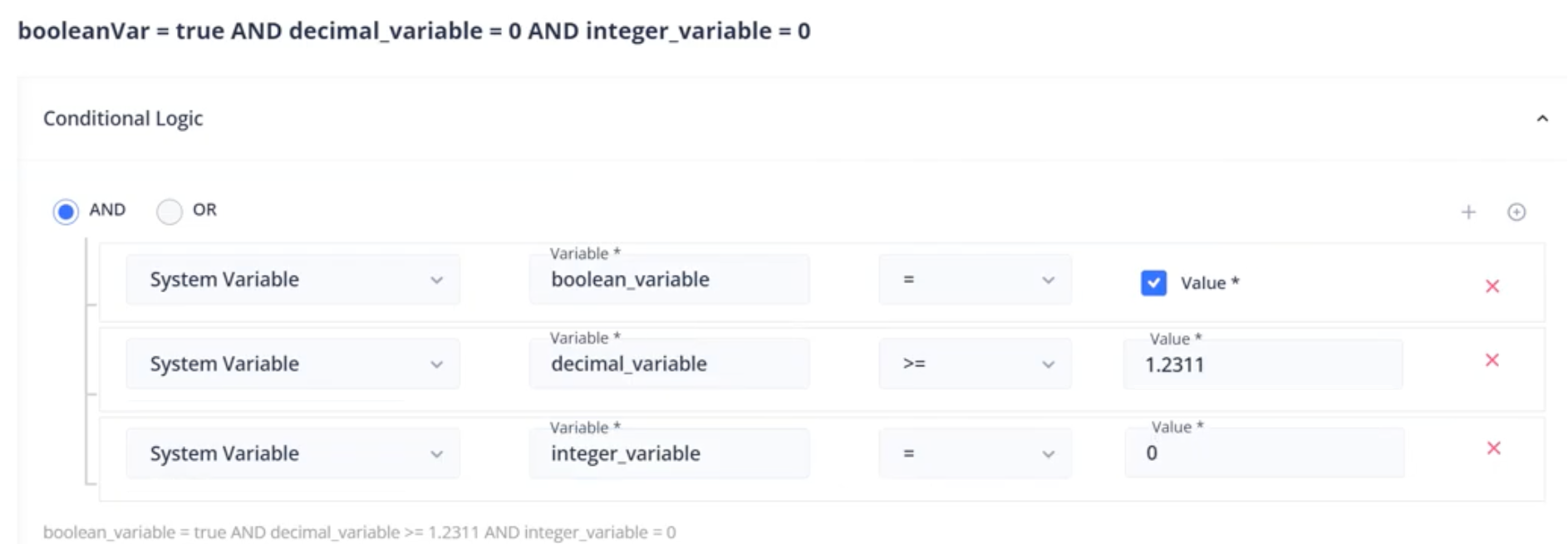
Order Management Rules Use System Variables In Conditions And Results
Order Management Rules (OMR) now allow for the use of dynamic system variables within both rule conditions and result outputs. This enables firms to create highly intelligent automation workflows that react to real-time data points set dynamically either through an external API or by the rules themselves. By moving beyond static rule sets, firms can implement more responsive risk controls and routing logic that adjust automatically to the current trading environment. This flexibility reduces the need for constant manual rule updates and ensures that the OMS remains aligned with broader firm-wide objectives and market state.
Manually Create Block Without Associated Order
Traders can now manually create block trades within the system without the prerequisite of an existing associated order. This enhancement is specifically designed for middle office users who need to book and report transactions that have been negotiated over-the-counter or via phone. By decoupling block creation from the standard order lifecycle, the platform provides the flexibility needed to ensure that all institutional flow is captured within the system for risk management and regulatory reporting purposes, regardless of how the trade was originally sourced.
Trading Front End Order Ticket Auto-Adjusts Height
The trading front end order ticket has been upgraded to automatically adjust its vertical height based on the specific parameters and fields required for the selected instrument or strategy. This dynamic resizing ensures that traders always have visibility into all necessary controls without excessive scrolling, while simultaneously maximizing the available space for the rest of the trading front end.
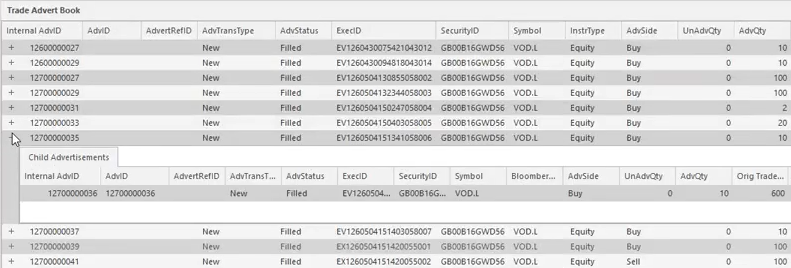
Monitor External Trade Advertisements In Trading FE
A new unified view to monitor and track external trade advertisements directly within the trading front end. The system updates these advertisements in real-time, facilitating rapid advertising of trading activity.
Evaluate Amends of Care Orders In Order Management Rules
The Order Management Rules engine now evaluates incoming amendment requests for care orders against pre-defined business rules. When configured, if a client modifies a care order, the system will cancel any existing child orders and process any new automatic child orders through the Order Management Rules. This automation significantly reduces the manual overhead required to review modifications, eliminating operational bottlenecks during active trading sessions.
Interval Market and Limit TWAP Strategy Benchmarks
New TWAP benchmarks for evaluating execution quality: Interval Market TWAP and Interval Limit TWAP. Rather than driving execution, both metrics compute a time-weighted reference price across each order's execution interval, giving desks a precise reference for scoring fills. The Market TWAP time-weights every market trade printed during the interval; the Limit TWAP time-weights only in-limit prices over the same window. Neither metric depends on order side or type. The Server surfaces both references in absolute terms and leaves basis-point deviation to the front ends, reports, and dashboards downstream. This gives institutional desks the granularity to assess execution against intraday intervals and demonstrate alignment with client performance mandates.
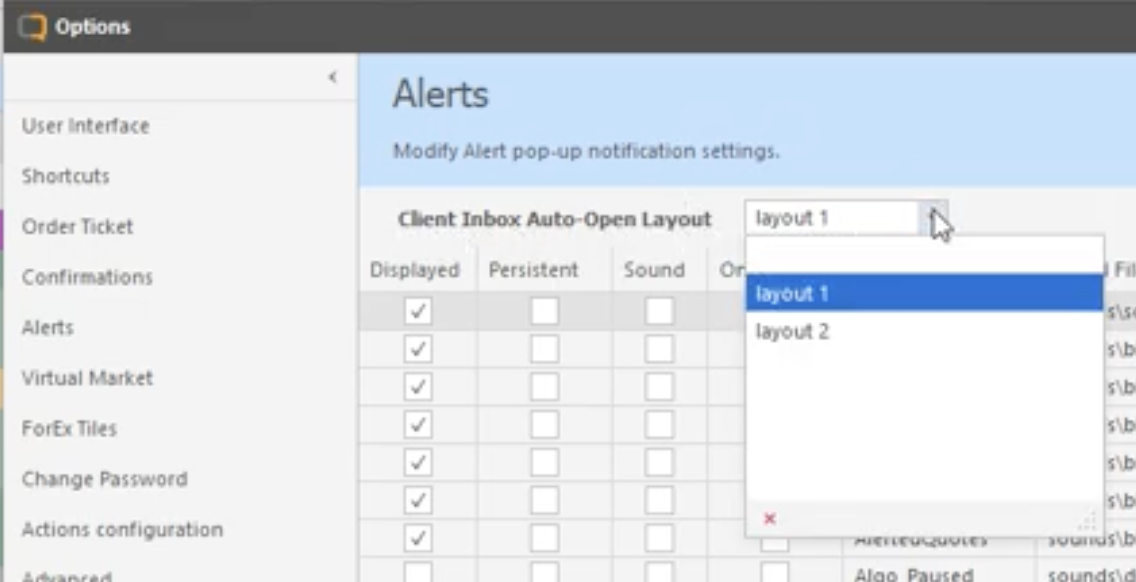
Auto-Open Order Book In Client-Inbox Mode
Automatically launch the order book in a specified Client-Inbox layout when incoming client orders are received that require acceptance. Allows the rest of the trading front end workspace to be used for other intra-day activity, only presenting the Client-Inbox view to traders as needed.
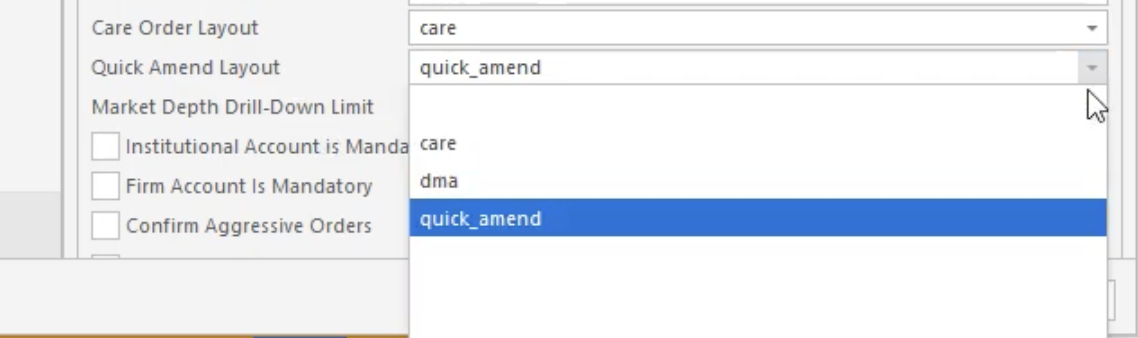
Configure Specific Layout For Amend Order Ticket
Assign a dedicated layout specifically for the amend order ticket when used from the right-click menu on order book entries. Traders can optimize the amend ticket by rearranging, hiding, or prioritizing critical fields such as quantity, price, and account allocations. This tailored layout ensures that essential information is immediately accessible during fast-paced market conditions when order modifications must occur instantly.
Get a glimpse on how we are innovating in our product development
As a consolidated entry point to the answers you need, HUB gives you access to information on our product features, new feature updates, system architecture, user guides, and more - all in one place.
Join Quod Hub