


Our latest product features - 2025 Enhancements
2,694
Product Improvements
556
Bugs Squashed
Feature Highlights
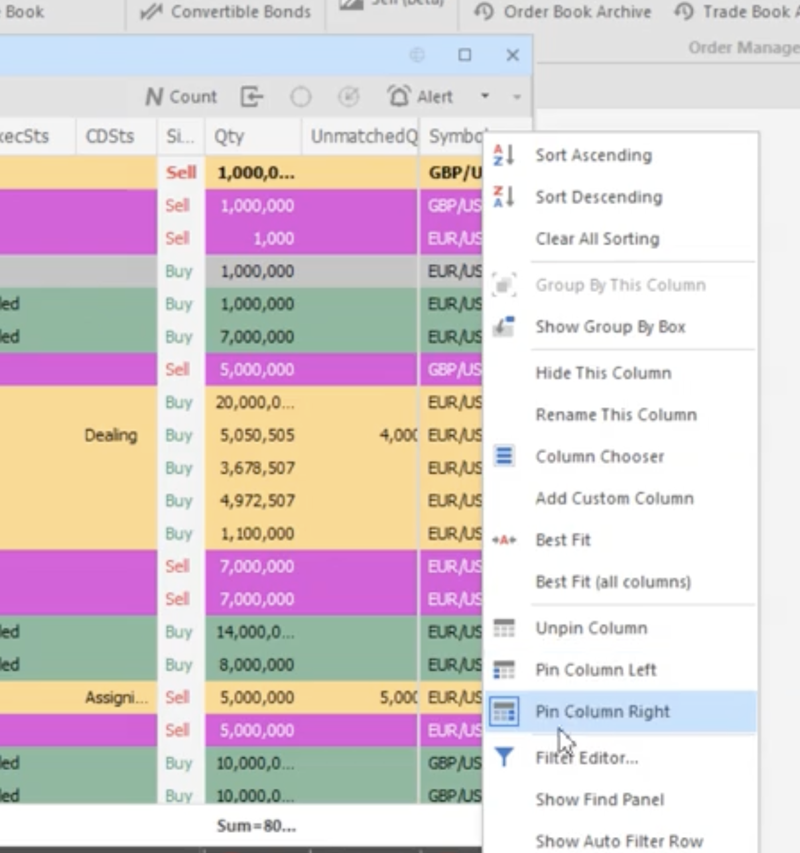
Trading FE Pinned Columns
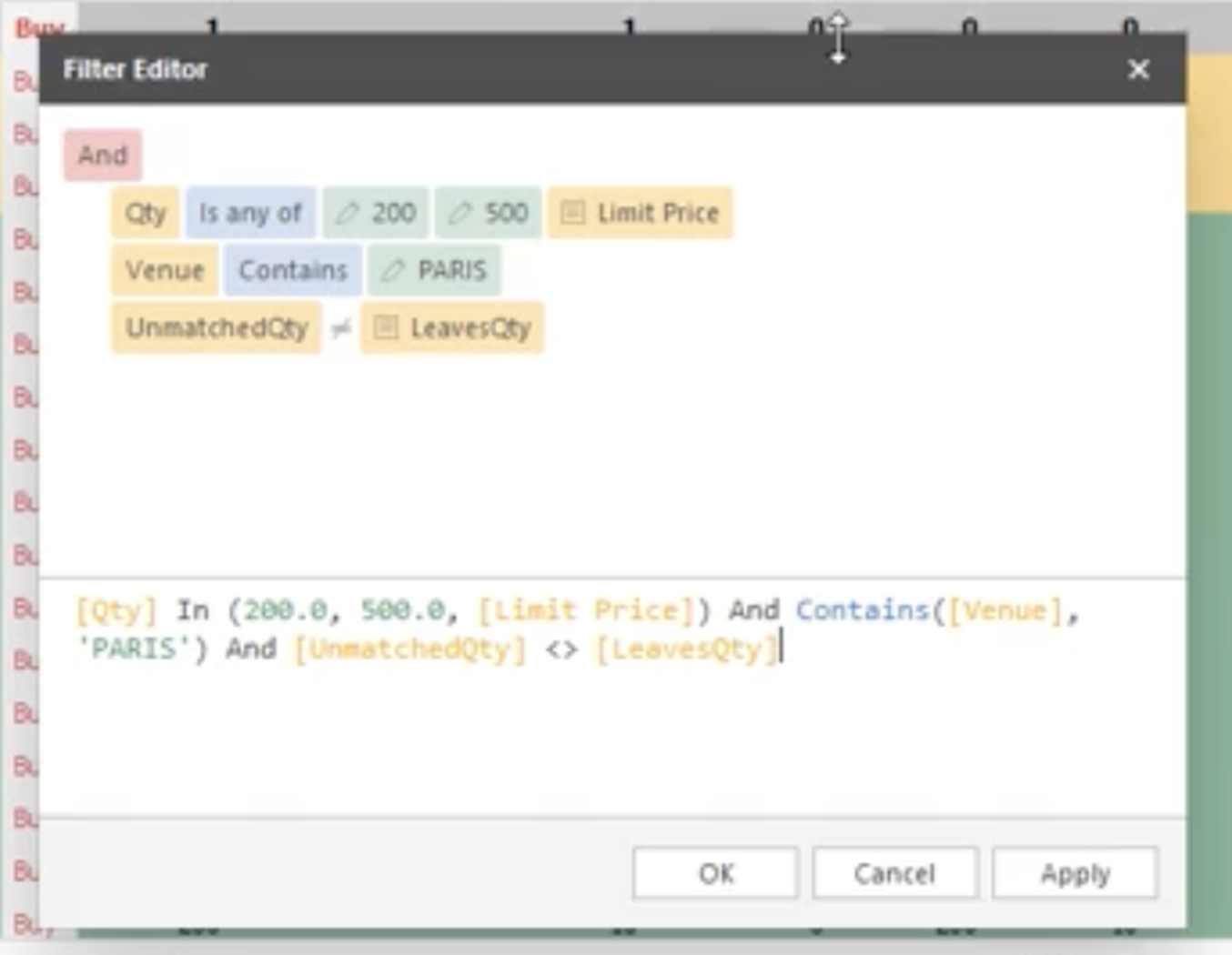
Trading FE Grid Filter Expressions
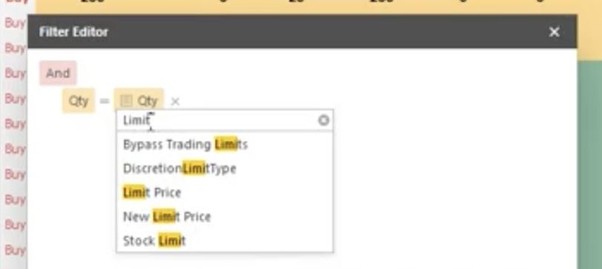
Trading FE Column Against Column Filtering
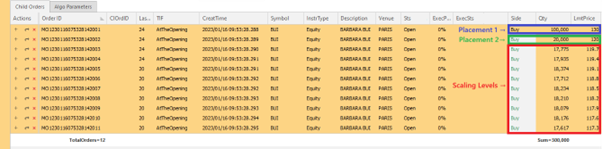
Scaling POV - Additional Auction Behavior
A new setting for the Scaling Participation strategy gives traders greater control over auction execution. When enabled, the enhanced Scaling Auction logic intelligently places a series of scaled orders based on the indicative price range.
The strategy dynamically selects the most appropriate reference price, such as the last traded price, parent order average price, or closing price, depending on market conditions. When disabled, the strategy continues to use the standard auction behavior.
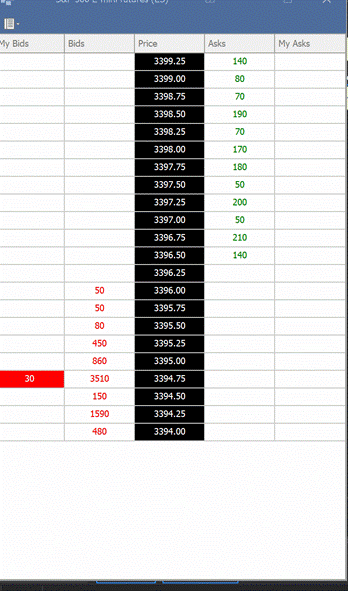
Futures Ladder
MOC Internal Crossing Performance Enhancements
The MOC Internal Crossing module has been re-architected and moved into the Order Engine (ORS), where it is triggered by Care orders designated as Market with a Time-in-Force of AtTheClose.
Incoming MOC buy and sell orders are first matched internally wherever possible. Matched quantities are crossed internally, while any residual volume is routed to the exchange to participate in the closing auction.
This new architecture significantly improves performance and scalability, particularly when processing large volumes of MOC orders via baskets.


Trading Front End Options Montage - Ladder And Contextual Actions
The enhanced trading montage introduces three fully integrated ladders — Depth, Option, and Calendar, embedded directly into the Futures and Options montage.
Each ladder delivers a real-time, structured view of market depth, strike-based option chains, and futures maturities, allowing traders to assess liquidity across venues at a glance. Context-aware click-to-trade automatically populates key fields such as strike, call/put, maturity, and side based on user interaction — accelerating execution and reducing manual input.
This foundation will soon support contextual multi-leg strategy creation, enabling intuitive construction of spreads, butterflies, and other complex derivatives strategies directly from the ladder interface.
Other Highlights from 2025
| Features | |
|---|---|
| Additional Allocation Mass Actions | Learn more |
| Commission Price Bands | Learn more |
| Aggressive Quotes Regulatory Confirmation Prompt | Learn more |
| Pair Trading Additional Spread Pricing Methods And Improved Instrument Entry | Learn more |
| New Super Algo Switches Strategies After Percentage Filled | Learn more |
| Specify Quod Strategies In FIX Care Orders | Learn more |
| Order Ticket Price Short Cut Buttons | Learn more |
| New FX Sales Manual Pricing Ticket | Learn more |
| Display Snapshot Market Data Details In Depth Panel And Order Blotters | Learn more |
| Set Order Ticket Values From Depth Ladder | Learn more |
| Position Corrections From Trading Front End | Learn more |
| Quick Amend Buttons In Trading Front End | Learn more |
| New Super Algo Switches Strategies On Price Moves | Learn more |
| Care And DMA Specific Front End Order Ticket Layouts | Learn more |
| Futures Order Ticket Actionable Depth Ladder | Learn more |
| Mass Amend Allocation Fees And Commissions From Trading FE | Learn more |
| Mass Amend Allocations From Trading FE | Learn more |
| Mass Amend Block Fees and Commissions From Trading FE | Learn more |
| Trading FE Pinned Grid Columns | Learn more |
| Quote Limit Regulatory Audit Controls | Learn more |
| Trading Front End Options Montage Ladder And Contextual Actions | Learn more |
| Trading Front End Middle Office Allocation Bulk Import | Learn more |
| Trading Front End Soft Limit Action Confirmation | Learn more |
| Smart Minimum Order Size on Benchmark Strategies | Learn more |